The explorer
groundwork explorer gives a plan folder a second view to sit beside the board: an artifact/explorer.html that is a file browser for the whole folder — a tree on the left, a tabbed viewer on the right. It’s a sibling to the board, not a replacement: it opens board.html, the living spec, and your designs/*.html as iframe tabs rather than reimplementing them. Think of it as the navigational shell that contains the board.
groundwork explorer # writes artifact/explorer.html for the current plan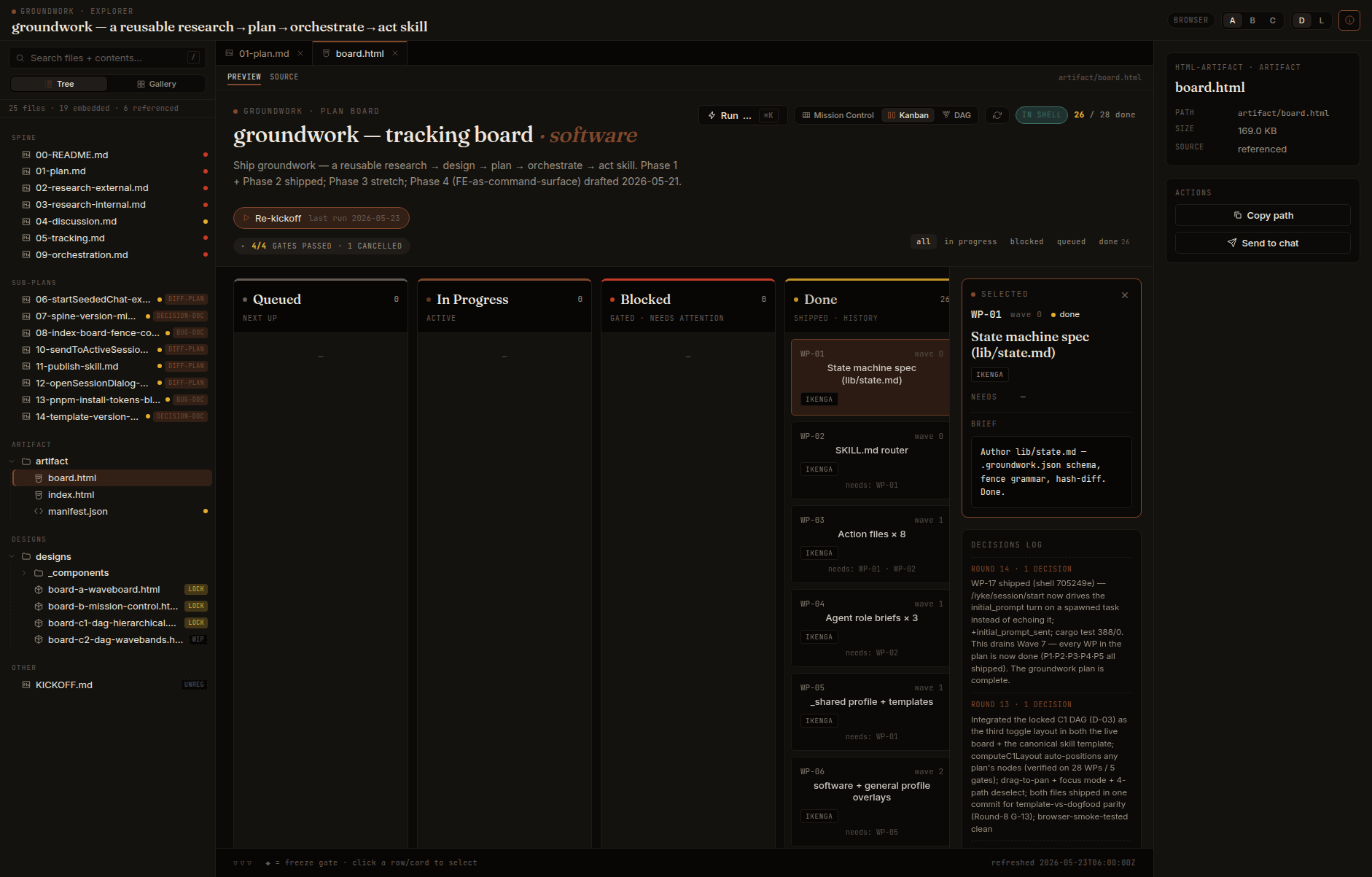
Left tree, right viewer
Section titled “Left tree, right viewer”The left pane is a tree grouped by kind — spine, sub-plans, artifact, designs, drafts — with at-a-glance badges: a drift dot (in sync / drifted from the last groundwork write), a lock badge on designs, a sub-plan archetype tag, and an unreg flag on files that exist on disk but aren’t in .groundwork.json.
The right pane dispatches by file type: Markdown renders inline, with the groundwork:auto generated regions visibly boxed and a Raw toggle (never editable); HTML artifacts and designs open as live previews with a Source sub-tab; images get a lightbox; JSON / code / SVG render read-only. Multiple files stay open as closeable tabs, with a metadata rail showing the selected file’s IDs, badges, fence inventory, drift, and copy-path / send-to-chat actions.
Search across the whole plan
Section titled “Search across the whole plan”A search box does both filename and full-text matching over every embedded document — with highlighted snippets — so you can find a decision or a work-package across a 200-file plan without opening each doc. Because the document bodies are embedded, search works with no server and no index step.
It adapts to the profile
Section titled “It adapts to the profile”The default left-pane mode follows the profile:
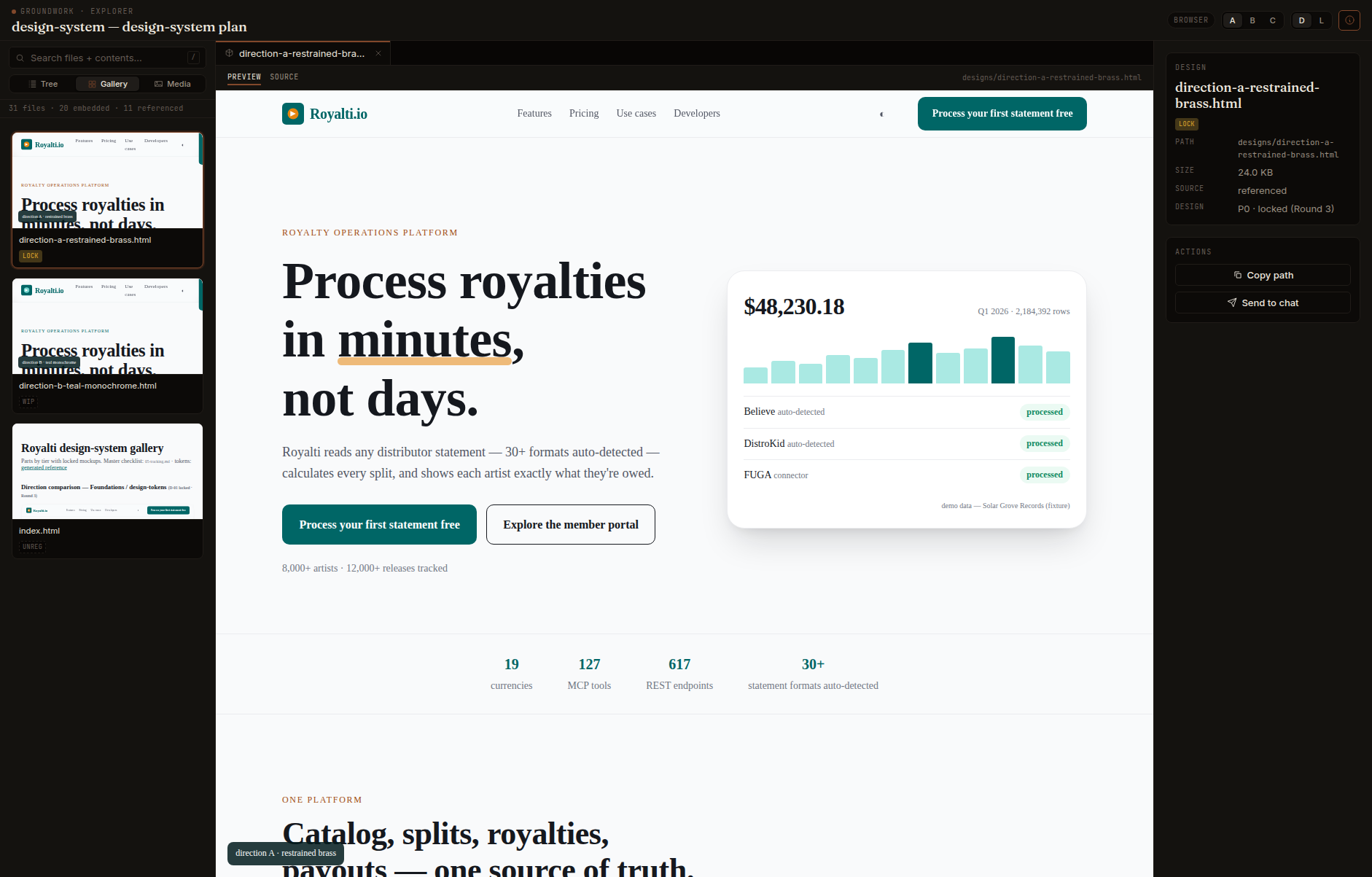
design-systemopens gallery-first — a grid of livedesigns/*.htmlthumbnails (lazy-loaded, so an 80-mockup system doesn’t choke the tab).contentopens media-first — a lightbox grid of key art, PDFs, and slide renderers.softwareandgeneralopen as the tree.
Fully offline — works anywhere, including Claude Desktop
Section titled “Fully offline — works anywhere, including Claude Desktop”The explorer is a single self-contained HTML file with no network dependency at all: React, the Markdown renderer, and the sanitizer are inlined and the view is pre-transpiled, so a generated explorer.html opens air-gapped, in Claude Desktop, or as a bare file. Opened from inside the real plan folder (served, or in the Ikenga shell) the relative-src previews of the board and designs load live; opened as a lone uploaded file the embedded text still renders everything and the previews degrade to a graceful placeholder.
Keep it fresh, or do a whole project at once
Section titled “Keep it fresh, or do a whole project at once”- Backfill existing plans:
generate_explorer.py --all-under plans/ --missing-onlylights up every plan that doesn’t have an explorer yet. - Live refresh:
watch.py --plan plans/my-featureregenerates on every edit or new file; the served page reloads itself.
Re-running groundwork explorer is idempotent — a checksum decides what changes on disk, exactly like the rest of the skill.
The cross-plan index
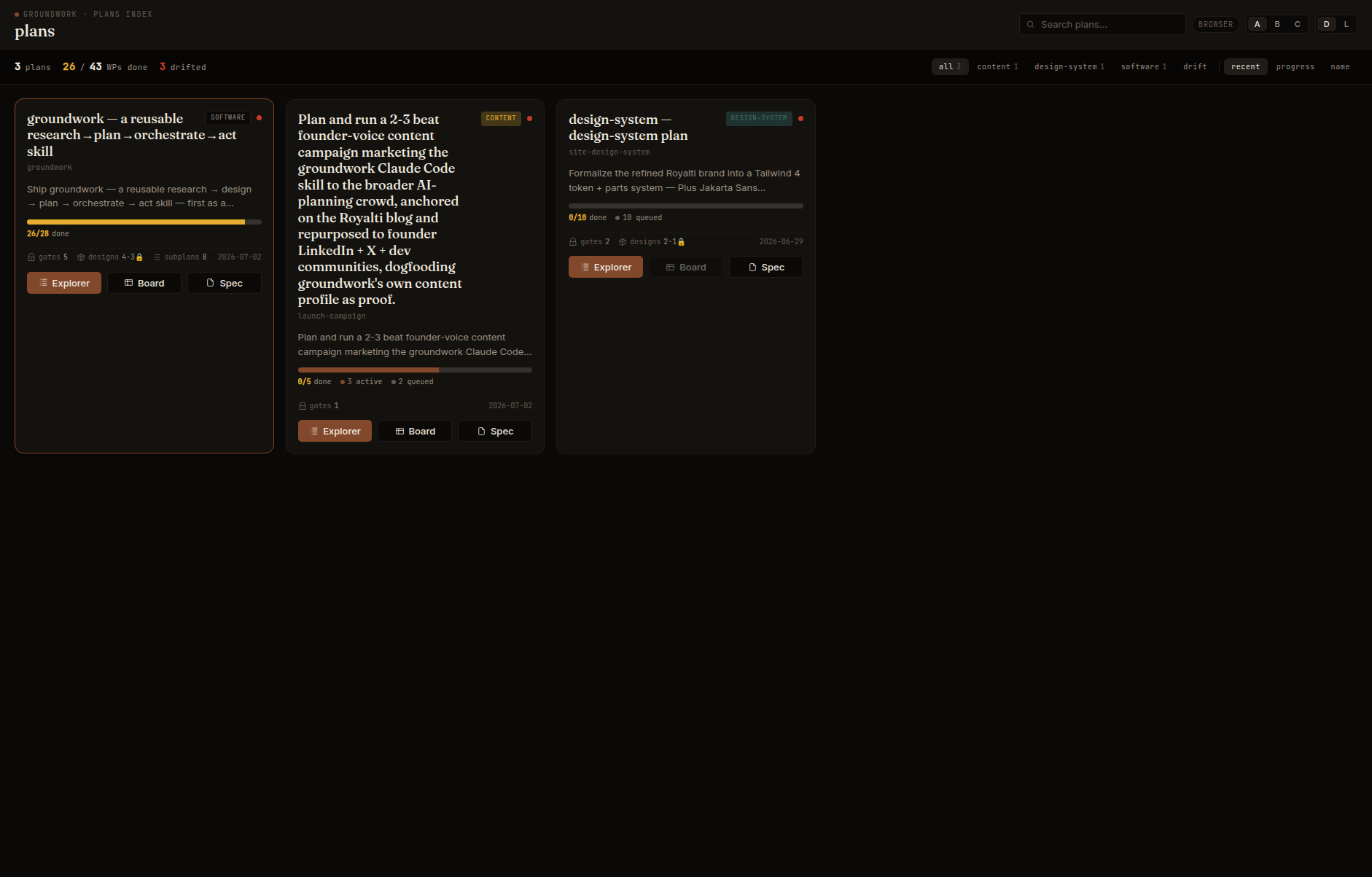
Section titled “The cross-plan index”groundwork plans-index plans/ writes a plans/_index.html — one card per plan under the directory, with a work-package progress bar, profile, drift indicator, gate / design counts, and drill-in buttons to each plan’s Explorer, Board, and Spec (disabled when that artifact doesn’t exist yet, so the index doubles as a “what still needs generating” view). Aggregate stats, search, profile filters, and sort sit across the top. It reads the plans it lists and never writes into them.
An Ikenga artifact
Section titled “An Ikenga artifact”Like the board, the explorer opens standalone in any browser and lights up inside the Ikenga shell — it tracks the shell’s theme and pushes it into the nested previews, and a file node can send itself to the active chat session. You never need the shell; it’s an additive layer.