Open sourceApache-2.0v0.19.4
The desktop workspace for your coding agents.
Ikenga is an open-source desktop app for people who run coding agents every day. Organise your work by project. Send work to Claude Code or another engine, and answer what it asks, from one companion. Install skills, tools and apps from a signed catalogue after you review what each one can access.
Free and open source, for macOS, Windows and Linux.
Get the desktop app Download for macOSDownload for WindowsDownload for Linuxcurl -fsSL https://ikenga.dev/install.sh | sh
Installers aren't code-signed yet, so a browser download shows a one-time warning on macOS and Windows. The
install script fetches the same files from the GitHub release and does not turn off any security check on your
computer.
Each release includes SHA256SUMS.txt, with the SHA-256 digest of every file.
How to open Ikenga the first time
Trust and security
- Open source under the Apache-2.0 licence.
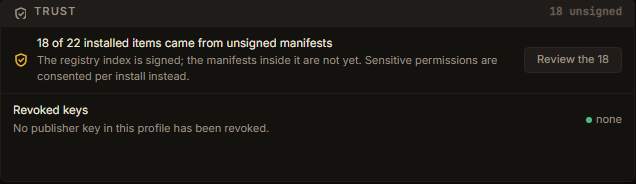
- The catalogue is signed and the app verifies it.
- You review what each app or extension can access before it installs, and again when an update asks for more.
- Keys stay in a passphrase vault; lock the app when you step away.
- Ikenga itself sends no usage analytics; engines follow their own settings.
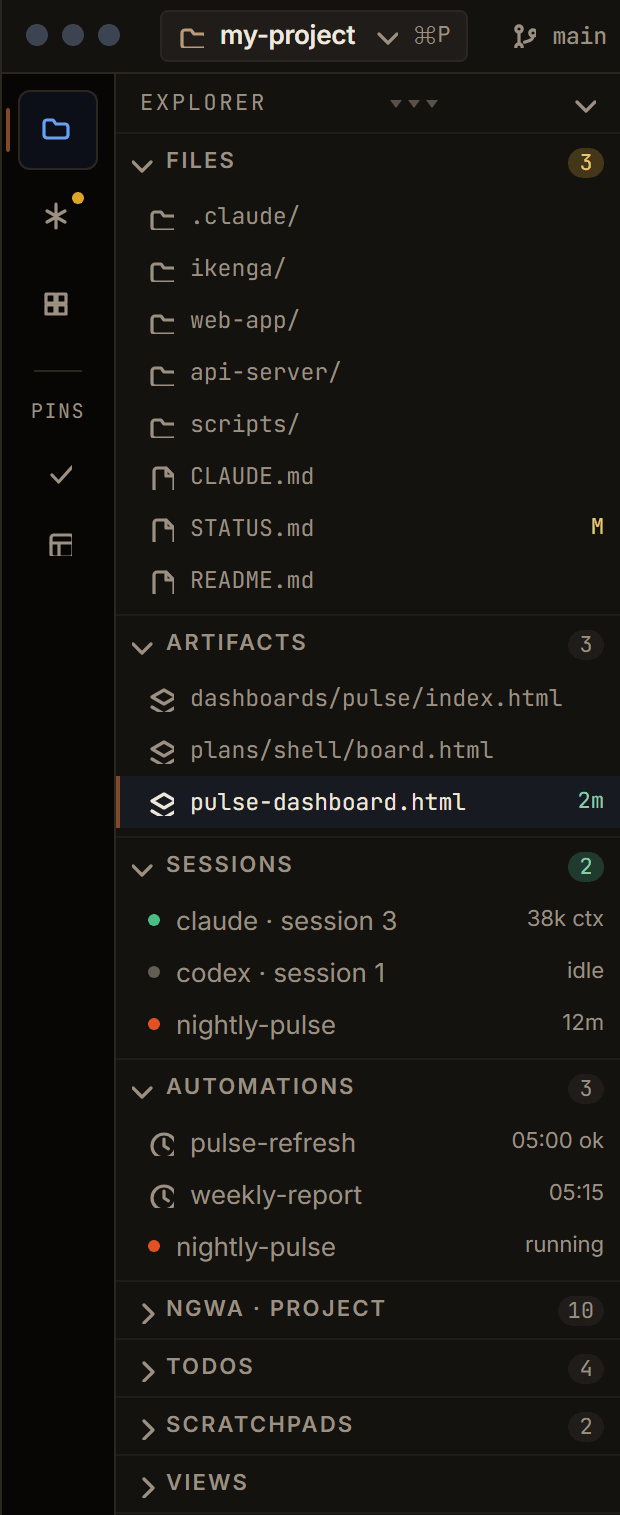
Projects in one sidebar.
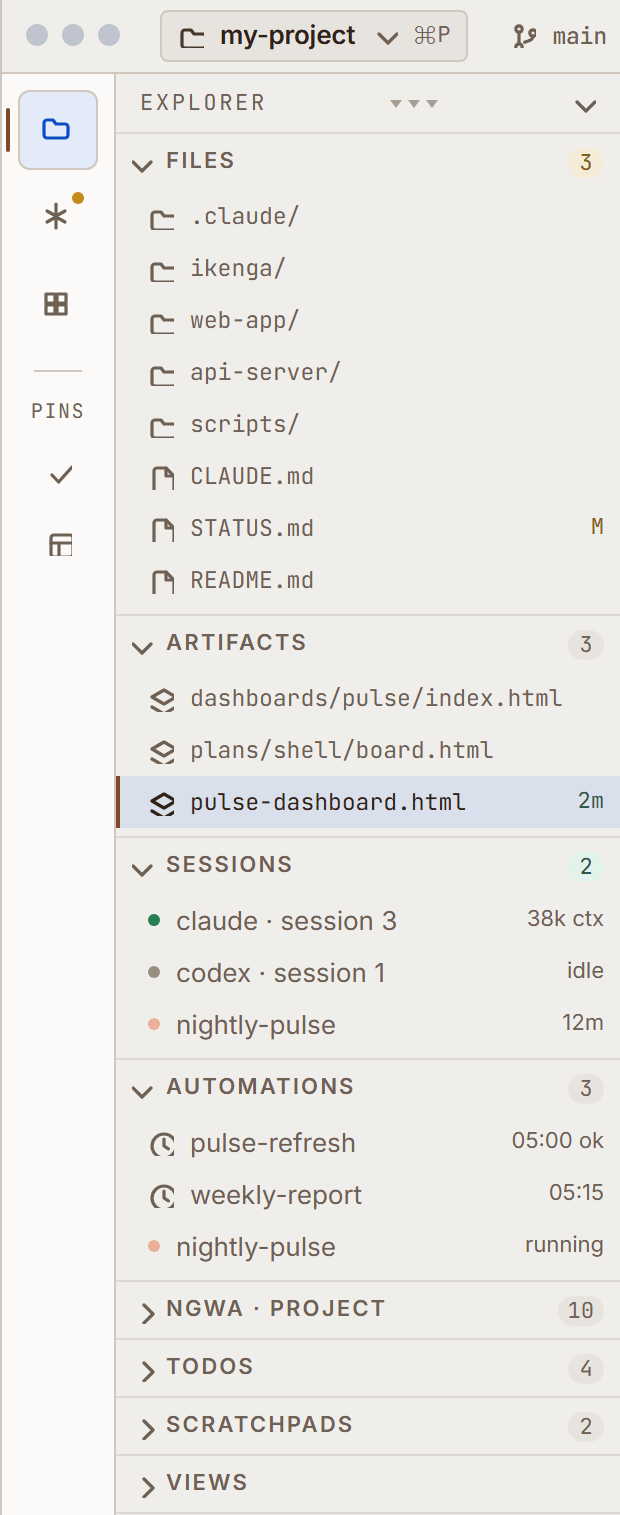
Since 0.11.0Each project's files, artifacts, agent sessions and tools sit together in the Explorer.
Chi, the agent companion.
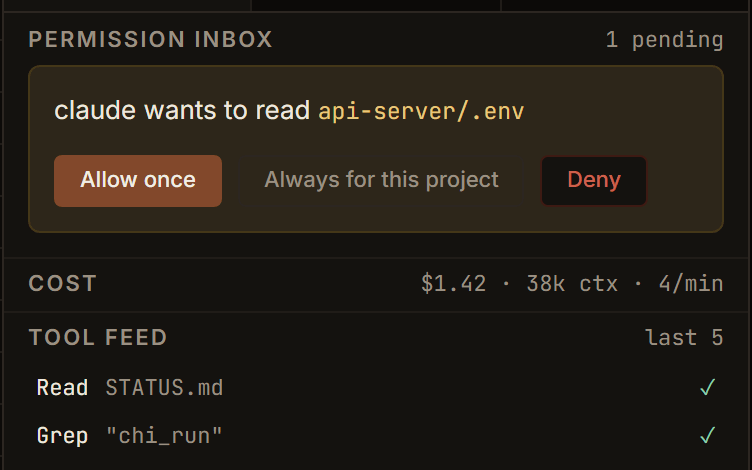
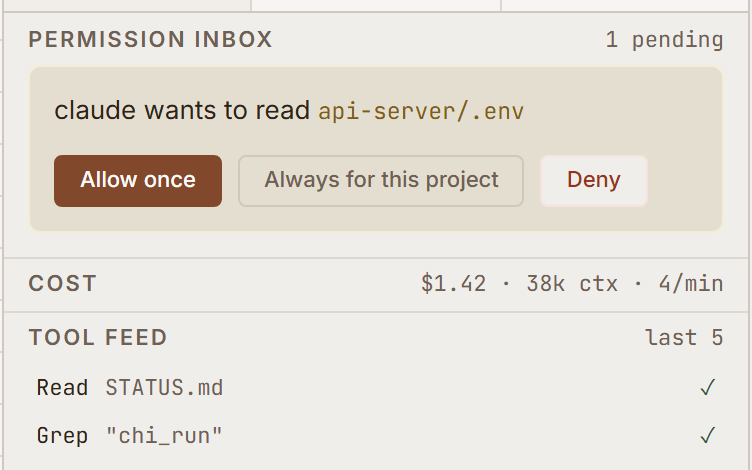
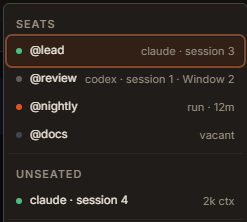
Since 0.11.0 · seats beta since 0.16.1Send work to Claude Code or another engine. Answer its permission requests, and watch its cost and tool calls as they happen. Named seats let you pick a session up again by name.
Only terminals that Ikenga starts are tracked. Permission cards work with Claude Code; other engines apply their own rules. Figures an engine does not report show as a dash.
wants to read .env
Waiting for you.
Illustrative card, drawn from the released permission inbox. Nothing runs from this page.
Ngwa, the store.
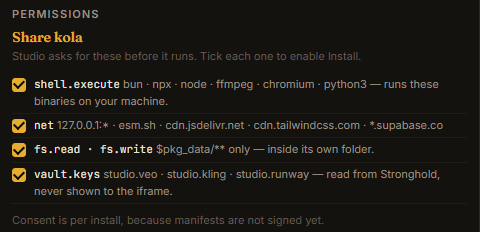
Since 0.17.0 · held updates since 0.14.0Install skills, tools and apps from the signed Ikenga catalogue. You see what each one can access before it installs. An update that asks for more access is held until you review it.
Vault and app lock.
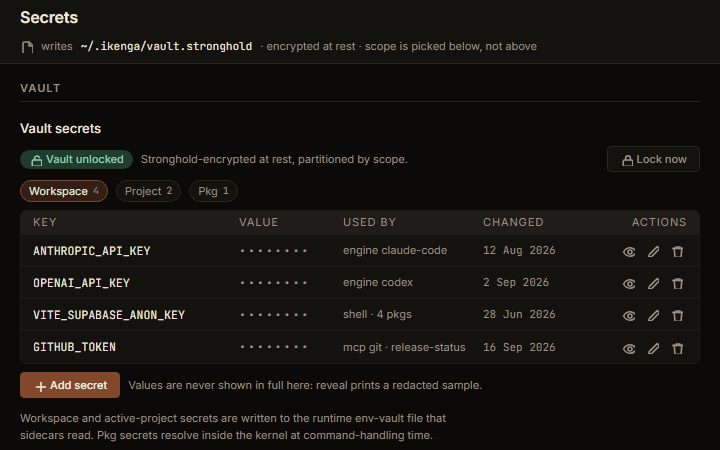
Vault since 0.13.0 · app lock beta since 0.16.1Your keys stay in a passphrase vault that locks itself when idle. Lock Ikenga with a PIN or your passphrase when you step away.
Work already running keeps running while the app is locked; the lock screen lists it.
Actions, menus and keys.
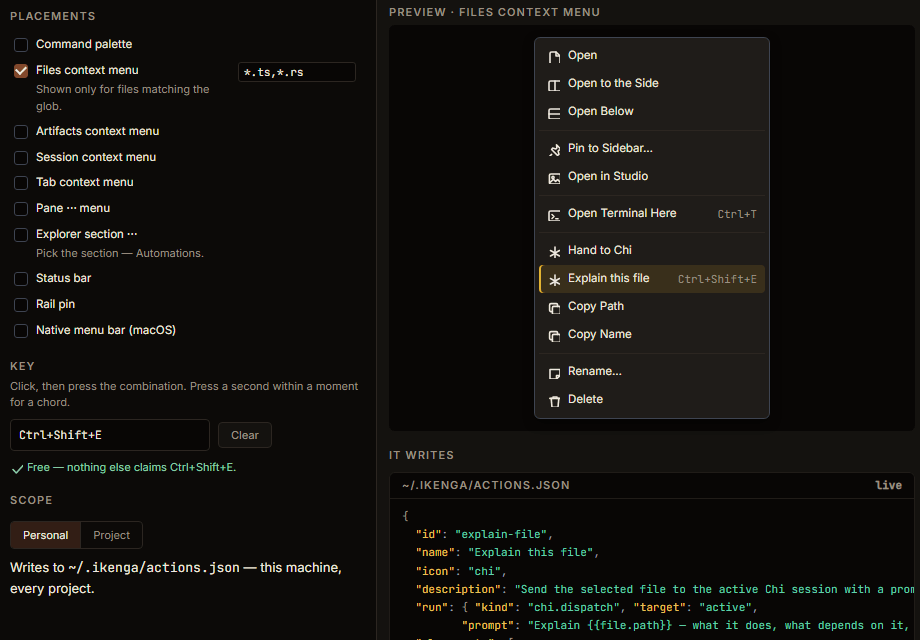
Beta since 0.15.1Rebind any key, and add your own actions and menus, for yourself or for one project. Import the core of your VS Code keybindings.
In an untrusted project, actions that run commands are refused, and keybindings are held, until you trust the project.
A terminal that remembers.
Since 0.10.0Terminals pick up where you left them after a restart. Search what a session printed, and follow its live working directory.
Groundwork: research, plan, orchestrate.
Skill 0.3.0Groundwork is a planning skill for Claude Code. It keeps a living plan folder for each piece of work: research, the plan, a decision log, tracking, and a plan board you open in a browser.
Re-run any action and it adds to the folder; it never overwrites what you wrote. When the plan is ready, orchestrate turns it into a brief for each task and a wave order, or a Claude Code Workflow that fans the work out to one agent per task.
Written for Claude Code.
- plans/add-billing-export/
- 00-README.md read order
- 01-plan.md the plan
- 02-research-external.md
- 03-research-internal.md
- 04-discussion.md decision log
- 05-tracking.md tasks and status
- 09-orchestration.md kickoff
- artifact/
- board.htmlplan board
orchestrate
- agent 1research brief
- agent 2build brief
- agent 3review brief
Illustrative folder, laid out as the Groundwork docs describe it. Nothing runs from this page.
Engines, and how ready each one is.
Ikenga drives the coding agent you already use. Each engine uses your own install, sign-in or key; Ikenga includes no model access. Permission cards work with Claude Code; other engines apply their own rules.
| Engine | Maturity | Notes |
|---|---|---|
| Claude Code The default engine. | Supported | The default engine. |
| Codex · OpenRouter · Antigravity OpenRouter sessions cannot resume after a restart. | Beta | OpenRouter sessions cannot resume after a restart. |
| OpenCode · Pi Experimental: behaviour may change between releases. | Experimental | Experimental: behaviour may change between releases. |
Remote and teams, on a server you run.
Beta since 0.19.0Ikenga 0.19.0 adds people, devices and an audit log on an Ikenga server. Each feature below is in beta. The desktop download does not include a server: device pairing, permission routing and the multi-user server need one that you build and run yourself.
-
Multi-user server Beta
Run one Ikenga server for your team. Each person signs in to their own account and works in their own space on it.
On a server you build and run yourself.
- Members of one organisation share the server and are mutually trusted; it is not built for untrusted tenants.
- Sign-in is by username and password; single sign-on is not available yet.
- The server needs a Linux host: it runs as root under systemd and gives each person their own Unix user.
- Not part of the desktop download: you build and deploy the server yourself.
-
Device pairing Beta
Pair a phone or laptop with a short code. Both screens show the same four-word phrase, and you confirm before the device gets in. Give each device its own access level, and revoke it at any time.
On a server you build and run yourself.
- Pairing is covered by automated tests; a check with a real phone over Tailscale is still to come.
- Behind a reverse proxy such as Caddy or tailscale serve, pairing a phone can fail with a "cookie_rejected" message, because the server sees the proxy's address.
-
Permission routing Beta
A paired phone or laptop can answer permission requests from the agents in your desktop app. Choose whether those requests are answered on this device only or on any paired device. Each device’s access level caps what it may approve.
On a server you build and run yourself.
- Today a paired device can answer permission requests raised by the desktop app. On a multi-user server the routing rules are built and tested, but the server's agent engines do not raise permission requests yet.
-
Members and roles Beta
Invite people to a project, or to a single artifact, with a role (Owner, Operator, Reviewer or Guest) that limits what they can see and do.
On a server you build and run yourself.
- The spend cap is shown but not enforced.
- Invites are links you copy and send yourself; Ikenga does not send email.
- Ownership cannot be transferred yet.
- Work done through a share never uses the owner's secrets.
-
Audit log Beta
Sign-ins, pairings, grants, revokes, role changes, approvals and dispatches go into a hash-chained log. Verify the chain and export it from Settings or the command line.
On a server you build and run yourself.
- Export to external logging tools is not available.
- Removing only the newest entries from the log may not be detected.
-
Per-person secrets Beta
Each person on a multi-user server keeps their own secrets, separate from everyone else’s.
On a server you build and run yourself.
- Secrets are sealed under a key the server operator holds; a lost key cannot be recreated, so back it up.
- A secret value can be at most 64 KiB, and one person's store at most 8 MiB; a write past either is refused.
- There is no command to rotate the server's key yet.
- ember
- river
- kola
- stone
Check that both screens show the same four words.
Illustrative card. Pairing needs an Ikenga server you build and run yourself; the desktop download does not include one. Nothing runs from this page.
What comes next.
Next
- Sign in with your identity provider (OpenID Connect).
- Signed installers for macOS and Windows.
- Apps in the browser when you connect to a server.
Exploring
- SCIM provisioning, SAML sign-in, sending the audit log to your SIEM, a private catalogue for your team, and admin policy for the apps and tools people can install.
Free to use. Plans in early access.
- A small Ikenga server of your own, run by us or in your own cloud account.
- Priority support in business hours.
- Support with an SLA, help running your own server, and custom builds.
An add-on to Enterprise: a dedicated Ikenga server for your organisation, operated by us. Priced per organisation per month, by size.
- Small $150
- Standard $250
- Large $450
Paid plans are in early access: design partners and a waitlist only. We won't take payment or sign a paid contract until our installers are code-signed. We count members, not seats. A member is a person with the Owner or Operator role. Seats, the named slots for agent sessions, are always free and unlimited.