Skip to content

Profiles

A profile swaps vocabulary and a few optional blocks — not the spine shape. Pick the one that fits the work; the safe-regeneration machinery underneath is identical.

ProfileForWork unitProduces designs
softwareFeatures, code work, PRswork packageyes
generalCampaigns, org changes, researchworkstream / deliverableno
contentEditorial series, campaigns with key artpiece / assetyes
design-systemComponent & token librariespartyes
filmShort films, music videos, trailers, AI-generated filmsequenceyes

Choosing between content and film: both are creative and both produce designs, so the split is shot-based vs not. If the work has shots, use film; its vocabulary and its shot ledger + render budget are what that work needs. Use content for editorial.

You choose the profile at init. It’s recorded in .groundwork.json and read by every action.

design-system adds its own spine docs (a parts gallery + a per-part quality gate) on top of the standard six. Tokens, fixtures, and a quality gate per part — with a living gallery that tracks what’s locked, tier by tier.
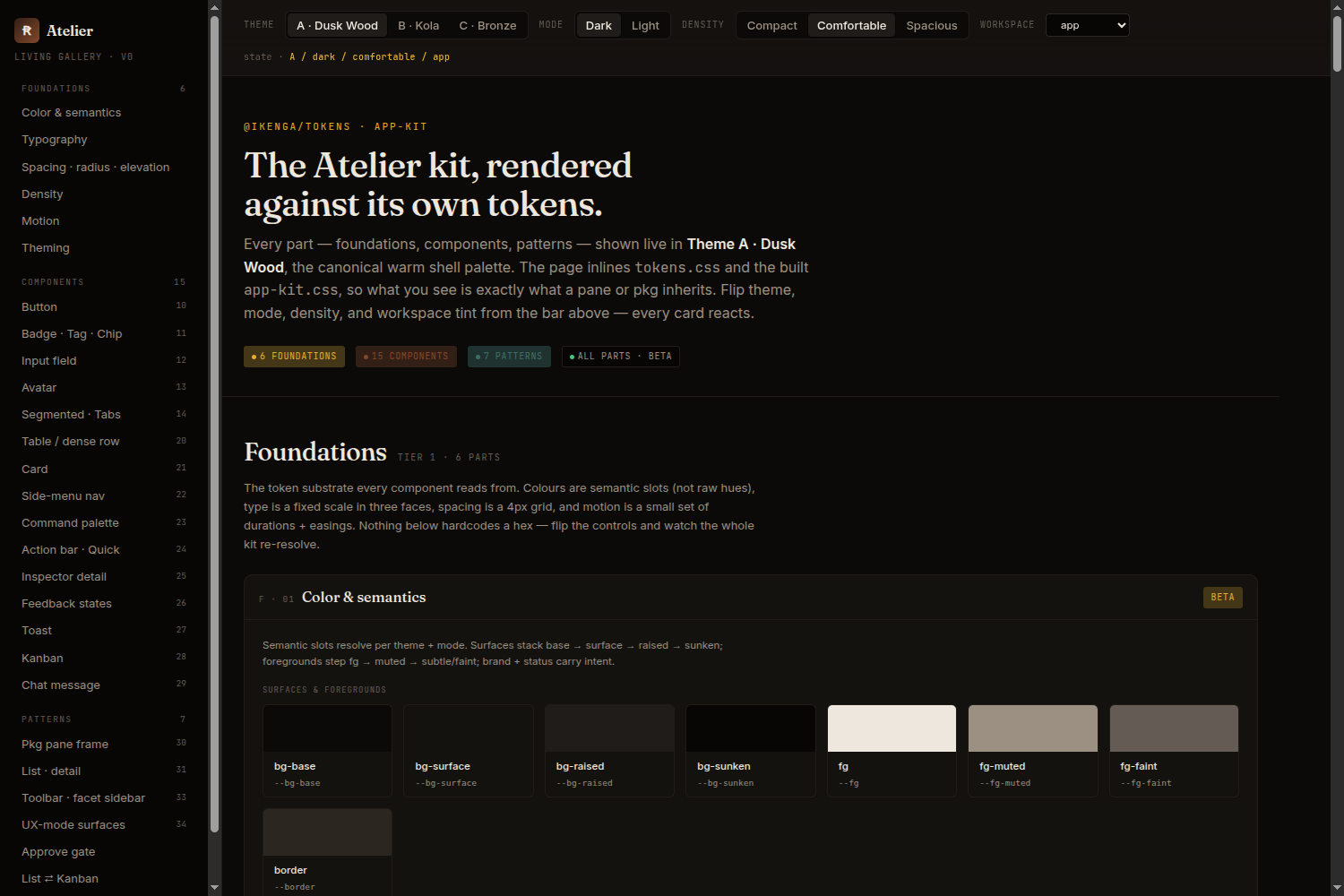
A design-system profile's living gallery — foundations and components rendered against their own tokens

film is for shot-based work — a short film, music video, trailer, or any AI-generated film. It swaps the spine’s vocabulary for a film set’s: a work unit is a sequence, isolation runs by scene + reel, and the freeze gate is picture lock. On top of the standard six docs it scaffolds a pre-production bible in 01-plan.md — logline, treatment, cast & character bible, locations, lookbook, shotlist — plus a shot ledger and a render budget in 05-tracking.md.

It produces designs: HTML lookbook boards live in designs/ and lock at picture lock, each becoming a D-NN design id that feeds the shot generator’s look.

Crucially, film hands off — it does not execute. The profile owns creative development and production management; it does not own the shot board. In an Ikenga workspace that board is Studio (com.ikenga.studio), which holds the authoritative per-shot render and approval state. 05-tracking.md is only a status mirror of it — when the two disagree, Studio wins.

The plan board for a film-profile plan — sequences as work packages across waves, with a picture-lock gate

The full loop — logline to finished cut — is the idea-to-cut guide.

Profiles are data: a profile.json (vocabulary + optional blocks + spine overrides) plus any template overrides. Drop your own under profiles/<name>/ and init --profile <name> resolves it like a built-in, once it passes the conformance gate. The four built-ins are the canonical worked examples.