@ikenga/skill-groundwork · v0.3.0 · Apache-2.0
research → design → plan → act.
A Claude Code skill that scaffolds and maintains a structured folder for any non-trivial work — features, campaigns, org changes. Plain files, a standalone plan board, and a multi-agent kickoff handoff.
Fully published on npm and installable with a single npx command. No Ikenga shell required. Try it today in any project where you already use Claude Code.
npx skills add royalti-io/groundwork Works in any Claude Code project — no shell install required. Node ≥ 18 to run npx skills add. The Ikenga shell is optional: it adds a live in-shell board view, but the skill, the folder, the board, and the multi-agent kickoff all work without it.
The problem it removes
Non-trivial work is where ad-hoc Claude Code sessions break down. You ask for a plan, you get a long prose answer. You start building. Three sessions later, the plan has drifted — the research isn't recorded, the decisions aren't threaded, the next agent starts from scratch. You're back to hand-maintaining a tangle of notes, half-finished outlines, and stale task lists across dotfiles and documents that don't know about each other.
Groundwork removes that by giving the folder a stateful spine: stable IDs thread from the plan through the tracking doc through the orchestration handoff. Re-runs augment instead of overwrite. Every action knows what already exists. A multi-agent kickoff falls out the back end when you're ready.
Scaffold once, maintain forever
Run groundwork init and answer a short interview: goal, profile, where
the folder lives. Groundwork drops a domain-agnostic spine:
plans/my-feature/
├── .groundwork.json        ← identity + state anchor
├── 00-README.md
├── 01-plan.md
├── 02-research-external.md
├── 03-research-internal.md
├── 04-discussion.md        ← rounds, newest-first
├── 05-tracking.md          ← work packages + gates
├── 09-orchestration.md     ← generated kickoff handoff
└── artifact/
    └── board.html          ← standalone plan board, opens in any browser
Every doc uses generated-region fences — Claude writes only inside them; your hand-authored prose is never touched.
Four profiles, one spine
A profile swaps vocabulary and optional blocks without changing the spine shape. Pick the one that fits:
software
Features, code work, PRs — work unit: work package
general
Campaigns, org changes, research — work unit: workstream / deliverable
content
Editorial series, campaigns with key art — work unit: piece / asset
design-system
Component & token libraries — work unit: part; adds a parts gallery + quality gate
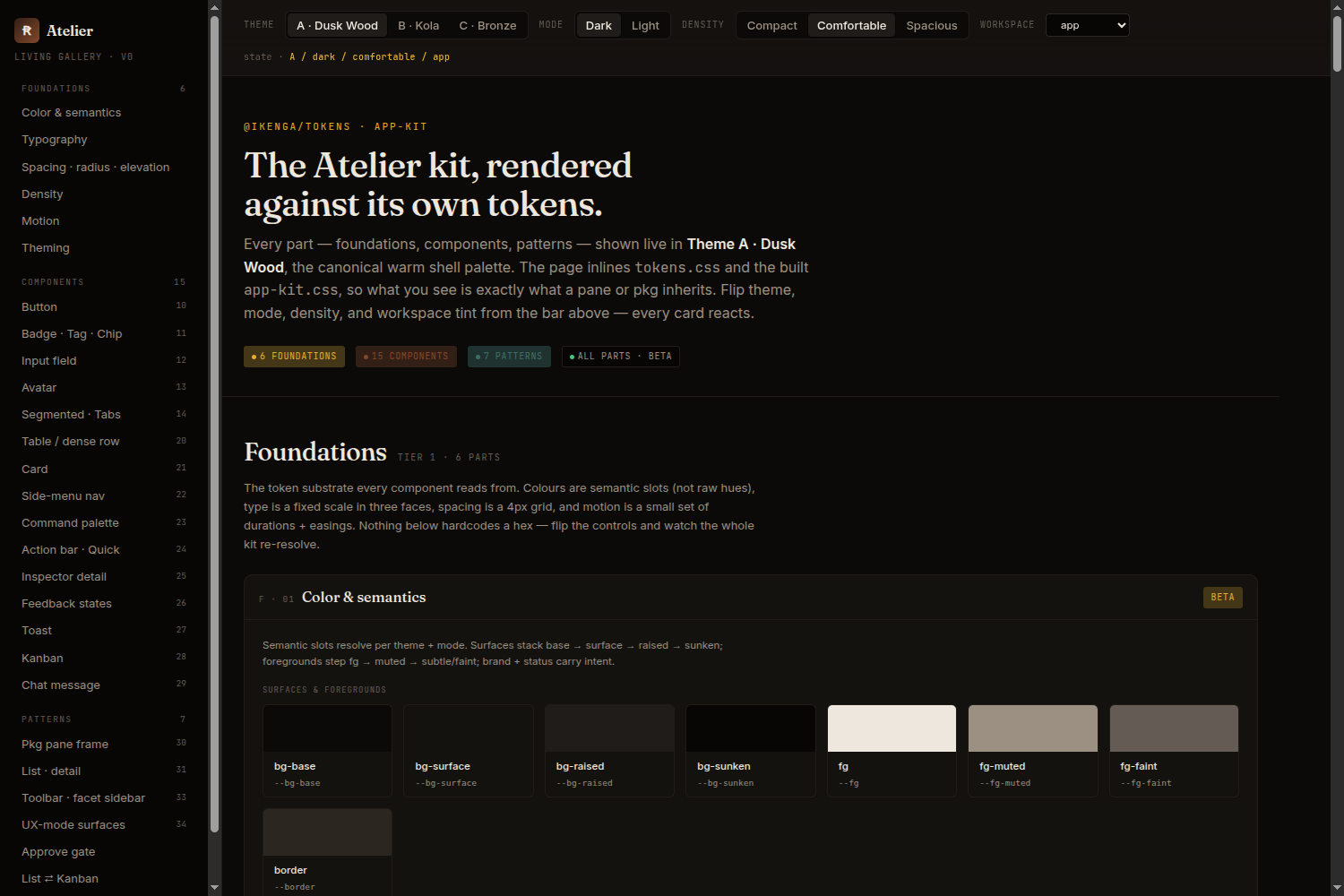
design-system profile's living gallery: every part rendered against
its own tokens, tracked as it locks.
Actions that augment, not overwrite
Each action is a focused step you call when you need it:
- research — spawns a researcher agent that fills
02/03in-place; hash-diffed so re-runs only write what changed. - review — reviewer agent appends a new Round to
04-discussion.mdand re-syncs work packages by ID. - design — produces comparable design options in
designs/*.html; locks one as canonical. Active forsoftwareandcontentprofiles; skipped forgeneral. - orchestrate — generates
09-orchestration.mdfrom05-tracking.md;--emit-workflowwrites a runnable workflow fan-out. - status — read-only freshness and coverage report; safe to run anytime.
The plan board
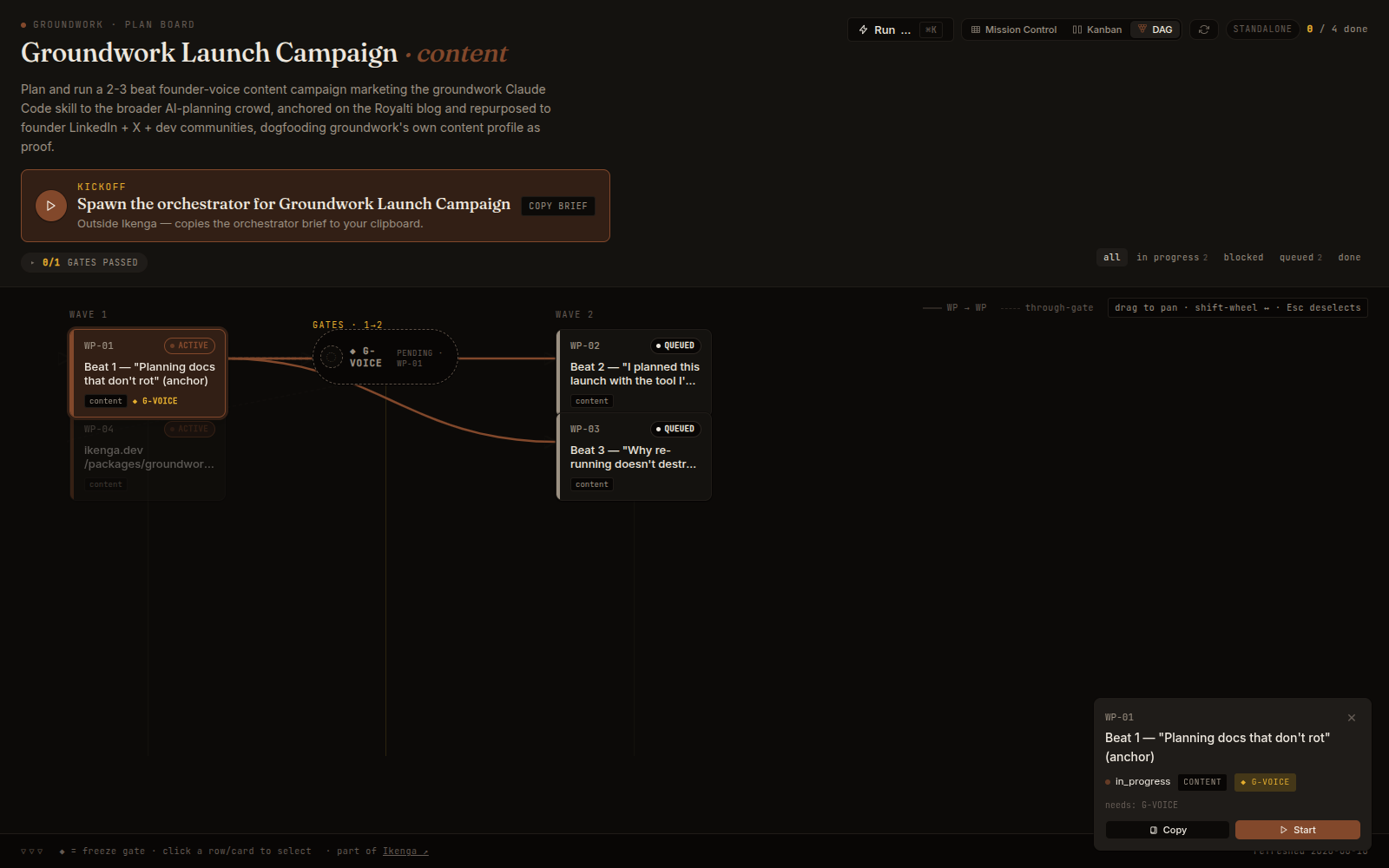
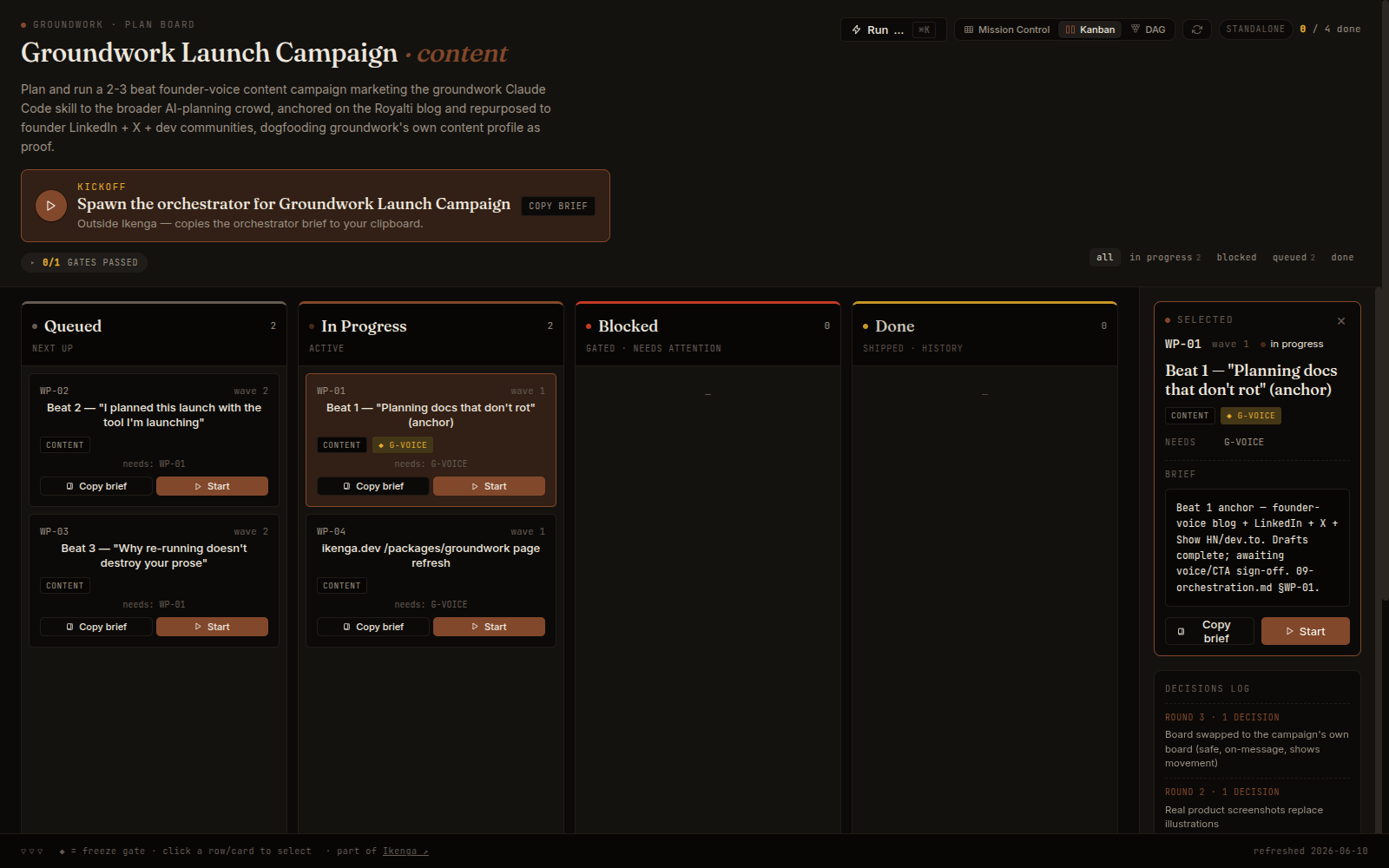
Every groundwork folder gets an artifact/board.html — a standalone HTML
file that opens in any browser with no server. In the Ikenga shell, the board renders
live inside the workspace; outside the shell, open it with
open artifact/board.html. Either way it shows the same data: phases,
waves, work packages, gates, and current status derived from
05-tracking.md.
Browse the whole folder — and every plan at once
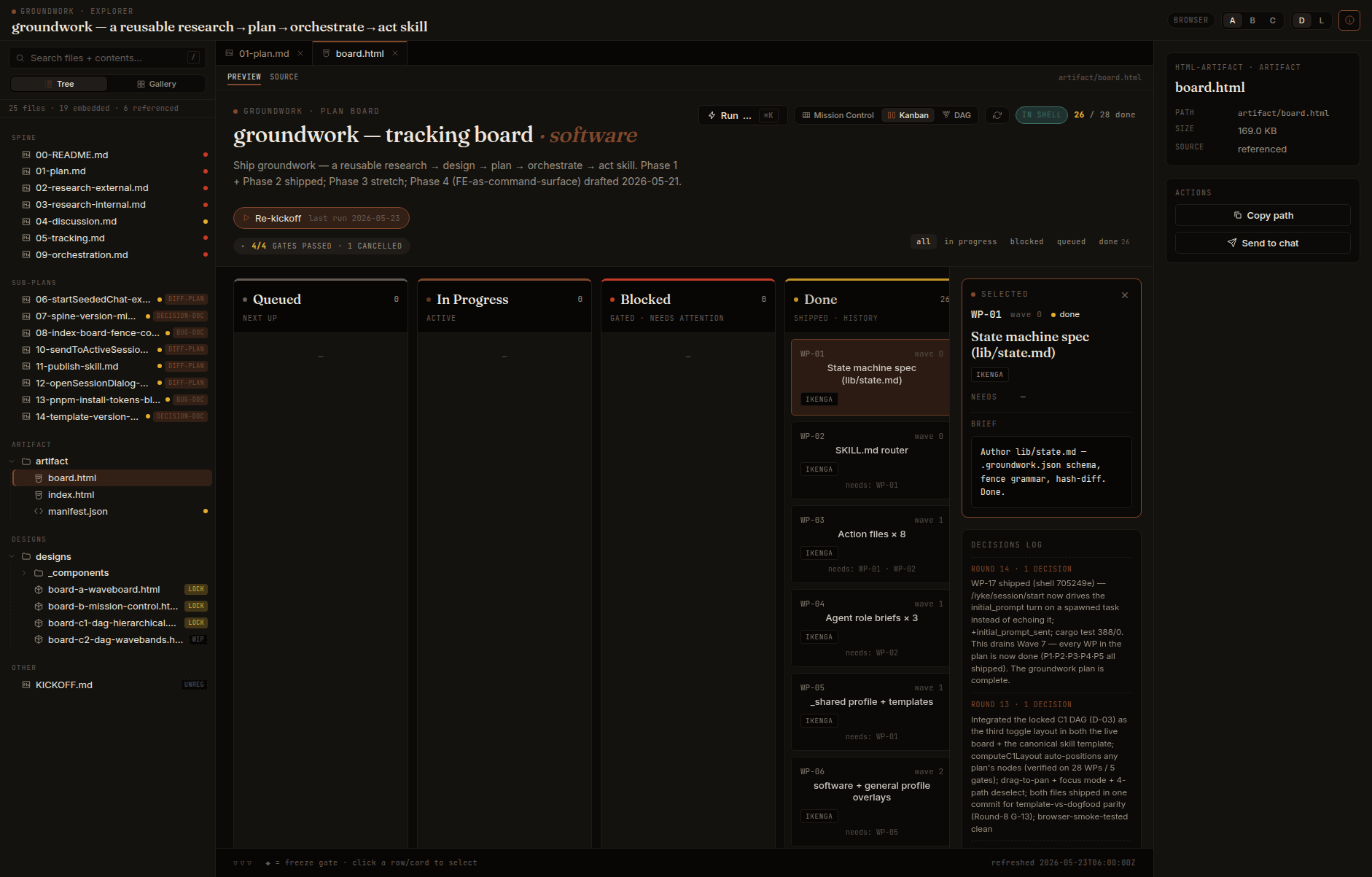
groundwork explorer adds a second view beside the board: a standalone
artifact/explorer.html that is a file browser for the plan —
a tree on the left, a tabbed viewer on the right (Markdown rendered inline; the board and
your designs open as live previews), and full-text search across every
embedded document. It opens the board and the living spec as tabs rather than
reimplementing them.
It's a single fully-offline file — React, the Markdown renderer, and the
sanitizer are inlined and the view is pre-transpiled, so it opens air-gapped, in Claude
Desktop, or as a bare upload, with no network. The view adapts to the profile:
design-system opens gallery-first, content media-first.
And groundwork plans-index rolls every plan in a directory into one
dashboard — a card per plan with a work-package progress bar, drift indicator, and
drill-in to each plan's explorer and board.
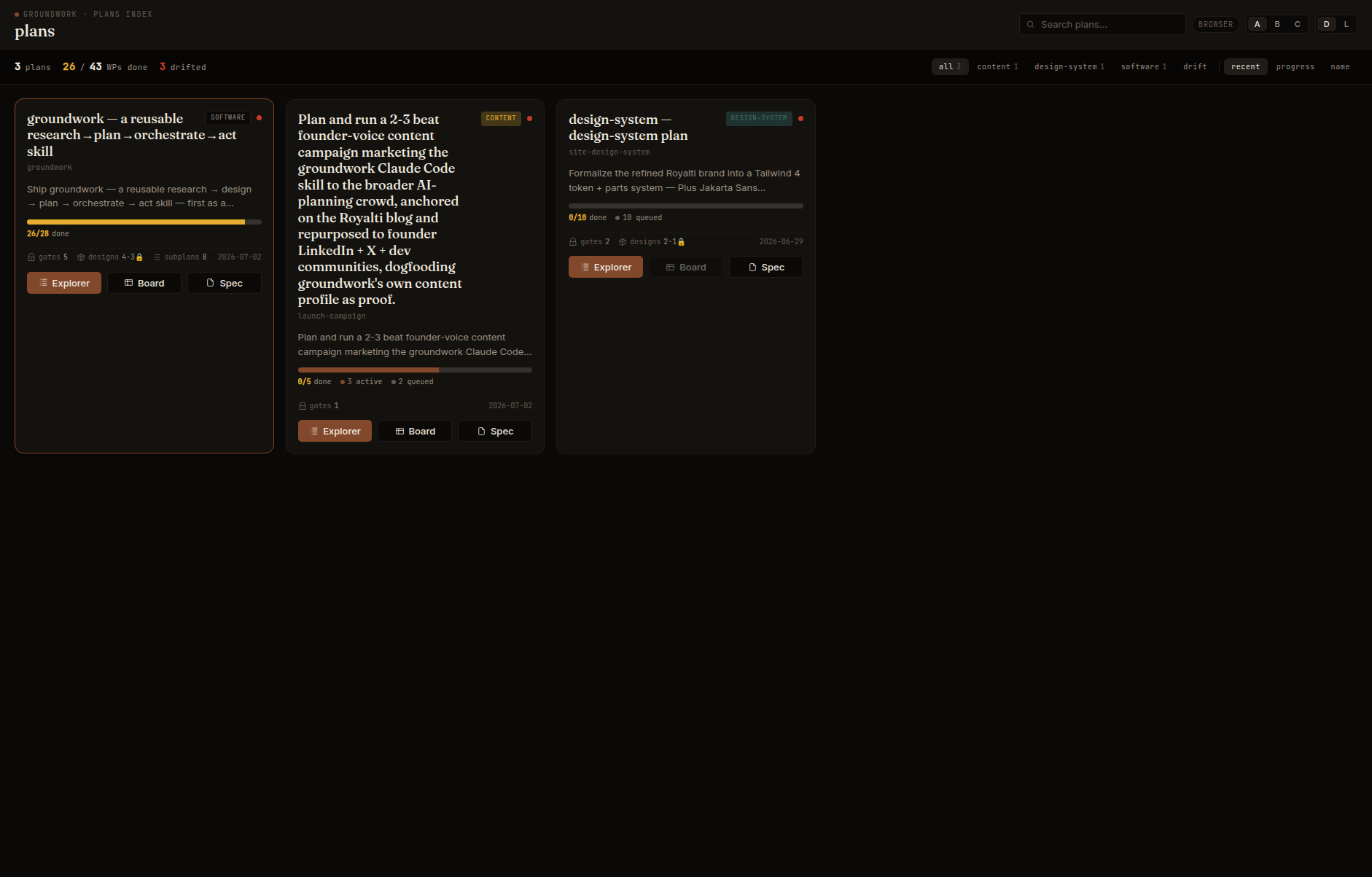
See them live (sample data, fully offline): explorer · design-system gallery · plans index.
Install
Groundwork is on npm. One command adds it to any Claude Code project:
npx skills add royalti-io/groundwork
Project install — committed with the repo. Use -g for a global
install available across all your projects.
npx skills add resolves skills/groundwork/SKILL.md and
links it into ~/.claude/skills/. No shell install required. No account.
Just a Claude Code environment and Node ≥ 18.
The Ikenga shell is not a prerequisite. Groundwork works fully in any terminal where you run Claude Code. The shell adds a live-board view — but the skill, the folder, the board, and the multi-agent kickoff all work without it.
Works with
- Claude Code (any version that supports skills) in your terminal — groundwork is a Claude Code skill.
- Codex, Gemini, Cursor & more — groundwork ships in the open
npx skillsformat, which works across Claude Code, Codex, Gemini, Cursor, OpenCode and dozens of other agents. - Node ≥ 18 to run
npx skills add. - The Ikenga shell is optional — adds a live in-shell board view and (planned) click-to-start sessions. Try the skill first; add the shell later.